
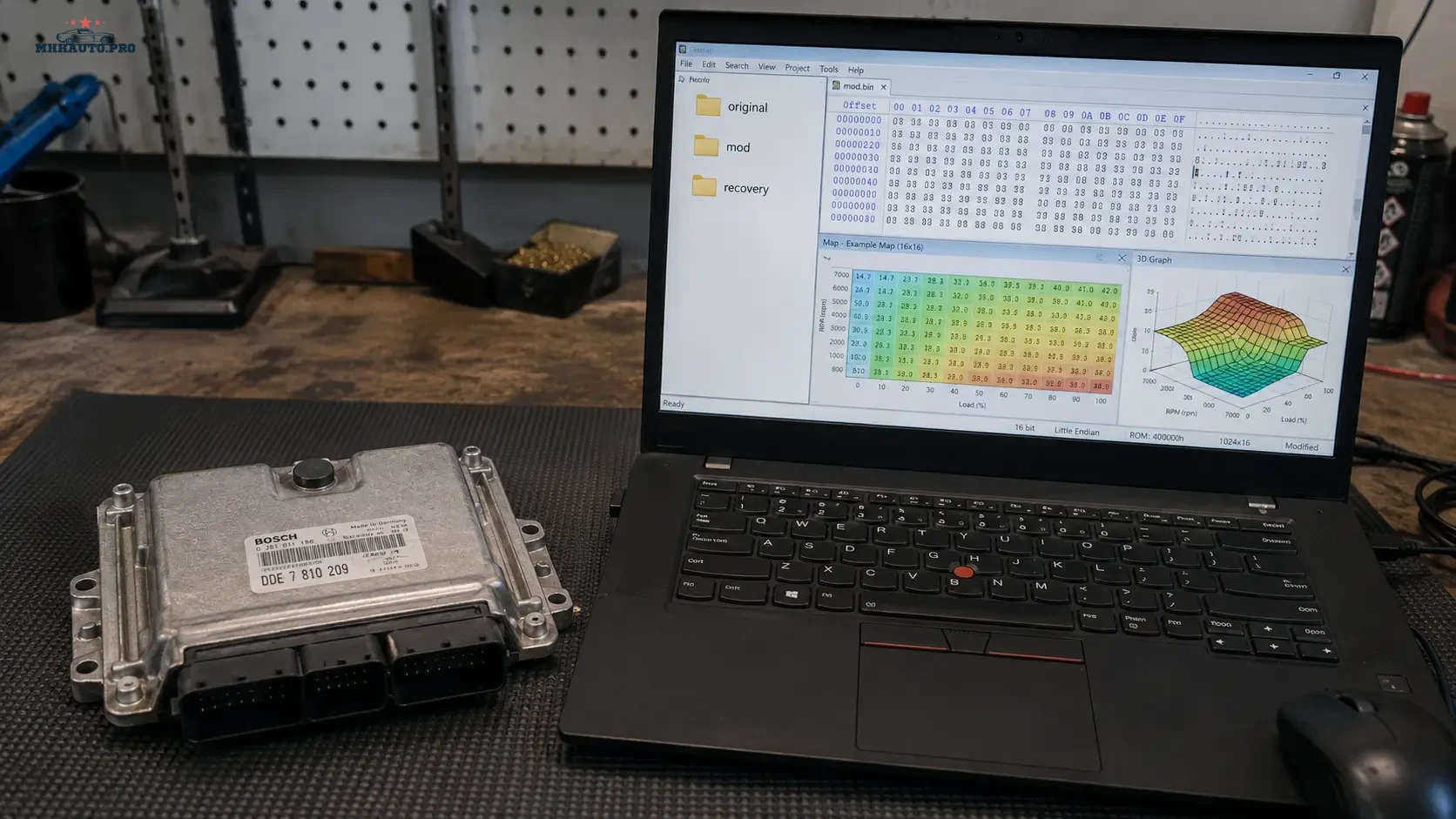
Why WinOLS project hygiene matters
ECU tuning problems often start before the file is modified. A missing original backup, unclear file name, wrong software version, mixed customer folders, unchecked checksum or lost tool log can create more risk than the calibration change itself.
Clean project hygiene means every ECU project has a consistent folder structure, verified original file, notes, version history, checksum audit and recovery plan. This is not office administration. It is technical risk control.
This workflow is written for ECU specialists, tuners and workshops that want cleaner WinOLS project management and safer file handling. It also supports research workflows using communities such as MHHAuto and CarTechnology.
Start with legal and technical responsibility
Before modifying any ECU file, confirm that the work is legal, authorized and technically appropriate. The workshop should have customer approval, vehicle identification, original backup and a clear understanding of what the calibration is intended to do.
Do not perform file work that violates local law, emissions rules, safety requirements or customer agreements. ECU tuning should be treated as a professional technical service, not as random file editing.
1. Create a standard project folder structure
Every ECU project should follow the same folder structure. A consistent structure prevents files from being mixed between vehicles, tools or customers.
Example project folder:
 Customer_or_InternalRef/
  Vehicle_Info/
  00_Original_Read/
  01_Tool_Logs/
  02_WinOLS_Project/
  03_Definitions_A2L_DAMOS_Notes/
  04_Modified_Files/
  05_Checksum_Audit/
  06_Write_Logs/
  07_Test_Results/
  08_Recovery/
  09_Delivery/
The exact names can be adjusted, but the logic should stay the same: original first, modifications separate, recovery always available.
2. Record vehicle and ECU identification
Before opening WinOLS, record the technical identity of the ECU. This prevents wrong file selection and helps later if the project needs to be reopened.
Record:
- vehicle make and model;
- model year;
- engine code;
- transmission type if relevant;
- ECU manufacturer;
- ECU type;
- hardware number;
- software number;
- software version;
- read method: OBD, bench, boot or other;
- tool used;
- battery or bench voltage;
- date and technician name.
This information should be stored in a simple text file or project note inside the folder.
3. Protect the original backup
The original read is the most important file in the whole project. It should never be overwritten, renamed carelessly or stored only on one laptop.
Original file rules:
- save the original read immediately;
- make at least one backup copy;
- store one copy outside the active working folder;
- do not edit the original file directly;
- keep the original file name clear and consistent;
- record file size;
- create a file hash if this is part of your workflow;
- keep the tool log together with the original read.
If the original is lost, recovery becomes harder. If the wrong original is used, the entire project becomes unreliable.
4. Use clear file naming
File names should tell the technician what the file is without opening it. Avoid names such as “final”, “newfinal”, “test2” or “goodfile”. These names become dangerous when several versions exist.
A better naming format:
 Brand_Model_Engine_ECU_HW_SW_ORI_Date.bin
Brand_Model_Engine_ECU_HW_SW_MOD_v01_Date.bin
Brand_Model_Engine_ECU_HW_SW_MOD_v02_ChecksumOK_Date.bin
Do not include full customer personal data in file names. Use internal references if needed.
5. Keep A2L and DAMOS notes organized
A2L and DAMOS information can be useful for map identification and project documentation, but it must be handled carefully. Keep notes about source, version, compatibility and what was actually used.
Recommended notes:
- definition source or internal reference;
- ECU family;
- software version match;
- maps identified;
- maps confirmed manually;
- maps not used;
- axis information;
- unit assumptions;
- comments about uncertain areas.
Do not assume a definition is correct only because it loads. Always verify against the actual file structure and known calibration logic.
6. Separate research notes from project decisions
Forum threads, old projects and shared notes can help research, but they should not be mixed with final calibration decisions. Keep research notes separate from confirmed project notes.
Use two categories:
- Research notes: forum links, similar ECU discussions, tool comments, user reports.
- Confirmed notes: values checked in the current file, maps verified, changes made and test results.
This separation prevents old assumptions from becoming hidden errors in a new project.
7. Version every modified file
Every modification should create a new version. Do not overwrite a previous modified file. If a road test or dyno result points to a problem, the technician must be able to return to the previous version quickly.
Version notes should include:
- version number;
- date;
- technician;
- reason for change;
- maps changed;
- expected result;
- checksum status;
- test result;
- whether the file was written to the ECU.
A file version without notes is only a guess with a different name.
8. Run a checksum audit
Checksum handling is a critical step. Some tools correct checksums automatically, some require manual correction, and some workflows need verification before writing. The technician must know which tool is responsible for checksum correction and how the result is confirmed.
A checksum audit should record:
- file version checked;
- tool used for checksum correction;
- whether checksum was corrected automatically or manually;
- checksum status before writing;
- write tool used;
- write log saved;
- post-write read or verification if performed;
- any warnings shown by the tool.
Do not treat “no error message” as a full audit. Save the evidence.
9. Keep a recovery folder ready
A recovery folder is prepared before the write, not after something goes wrong. If a write fails, the technician should not waste time searching for the original file, protocol, password, tool log or bench connection notes.
The recovery folder should include:
- original read;
- last known good modified file;
- tool logs;
- ECU identification;
- read and write method;
- bench or boot notes if applicable;
- photos of ECU label;
- power supply notes;
- pinout or connection notes where legally and technically appropriate;
- contact or support notes if the tool vendor is involved.
The best recovery plan is the one prepared before the risk event.
10. Test and document the result
After writing, the job is not finished until the vehicle is checked. Save the diagnostic scan, test notes and customer handover information.
Post-write checks can include:
- ECU communication check;
- DTC scan;
- idle and start behavior;
- live data check;
- road test or dyno test where appropriate;
- customer complaint confirmation;
- final file version recorded;
- backup delivered or archived according to workshop policy.
If faults appear, record them instead of deleting the evidence. Good notes make correction faster.
Project hygiene table
| Area | What to save | Why it matters |
|---|---|---|
| Original backup | Original read, file size, hash, tool log | Required for comparison and recovery |
| Vehicle info | ECU type, HW/SW number, engine code | Prevents wrong file matching |
| A2L/DAMOS notes | Definition source, map notes, compatibility comments | Prevents blind map editing |
| Modified files | Versioned files with change notes | Allows rollback and comparison |
| Checksum audit | Correction method, tool result, write log | Reduces write and start risk |
| Recovery | Original, tool logs, connection notes, last good file | Saves time if writing fails |
Where forum access helps
For ECU research, tool behavior, firmware discussions and technical cases, review CarTechnology. For broader automotive ECU, diagnostic and software discussions, review MHHAuto. Forum research should support professional file handling, not replace verification inside the actual project.
WinOLS project hygiene checklist
- Create a standard folder before starting.
- Record vehicle and ECU identification.
- Save the original read and make a backup copy.
- Never edit the original file directly.
- Use clear version names.
- Keep A2L/DAMOS notes organized.
- Separate research notes from confirmed project notes.
- Version every modified file.
- Run and document checksum audit.
- Prepare recovery folder before writing.
- Save write logs and post-write test results.
FAQ
Why is the original backup so important?
The original file is the reference for comparison, correction and recovery. Without it, the project becomes harder to verify and much harder to recover if something goes wrong.
Should I overwrite old modified files?
No. Keep every important version with notes. Overwriting files destroys project history and makes troubleshooting difficult.
Are A2L and DAMOS files always correct?
No. They must be matched and verified. A definition can load but still be wrong for the exact software version or file structure.
Is automatic checksum correction enough?
It depends on the tool and ECU. Always record how checksum was handled and save the tool result or write log when possible.
What should be inside a recovery folder?
Original read, last known good file, tool logs, ECU identification, read/write method, connection notes and any information needed to recover the ECU safely.
Good WinOLS project hygiene is not about making folders look neat. It is about reducing risk. Keep the original safe, document the ECU, version every change, audit checksums and prepare recovery before the write starts.