
The valuable part of forum research is the verified result
A technician can spend an hour finding the right forum thread, compare several repair cases, test the vehicle and confirm the fault. Three months later, another technician receives the same problem and starts the research again from zero.
The information was technically useful, but it never became workshop knowledge.
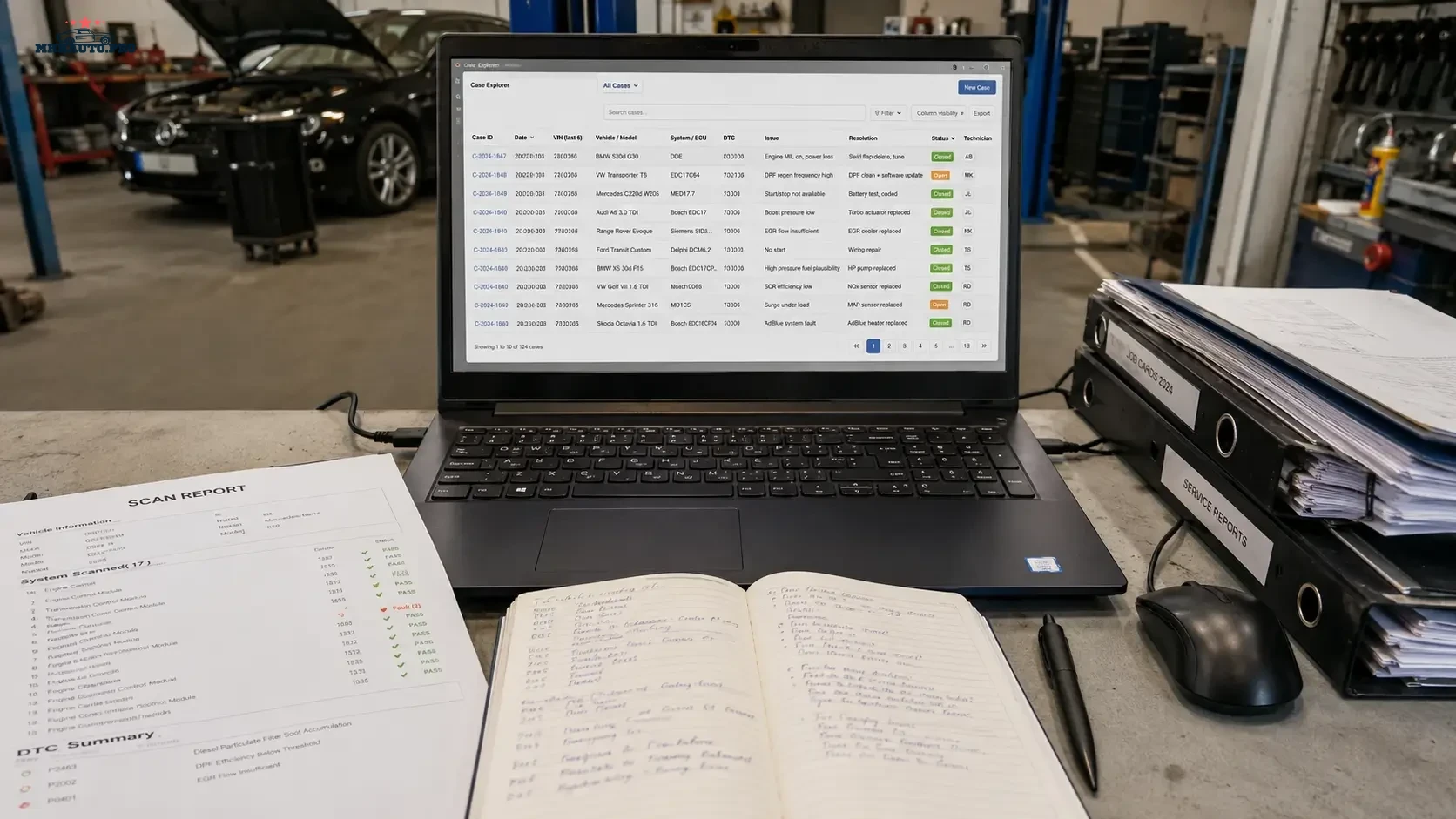
A diagnostic case library solves this problem. It stores the vehicle context, evidence, source links, tests, final repair and review status in a format that another technician can understand. It does not copy entire forums or collect random downloads. It records what the workshop actually verified.
A case library is not a folder of screenshots
Unsorted screenshots, downloaded archives and copied forum comments are difficult to search and easy to misunderstand. A proper case library has a consistent structure and makes a clear distinction between:
- what the vehicle showed;
- what a forum user suggested;
- what the workshop tested;
- what repaired the vehicle;
- what remains uncertain.
This distinction prevents an online opinion from being treated as a confirmed workshop procedure.
What should be stored in each case
Every case should contain enough information to make it useful without exposing unnecessary customer data.
Recommended fields:
- internal case number;
- vehicle make, model and model year;
- engine code;
- module or ECU family;
- hardware and software identification where relevant;
- customer complaint in neutral language;
- full DTC text;
- initial scan and measurement summary;
- previous repair history relevant to the fault;
- forum or technical source links;
- hypotheses considered;
- tests performed;
- confirmed root cause;
- repair completed;
- post-repair confirmation;
- technician and review date.
The case should be understandable without reopening every source link.
Separate evidence, hypothesis and conclusion
This is the most important editorial rule in the library.
| Section | What belongs there | Example |
|---|---|---|
| Evidence | Scan data, voltage, pressure, waveform, visual inspection | Actual rail pressure falls below requested value under load |
| Hypothesis | Possible explanation not yet proven | Supply restriction or pressure-control problem |
| External source | Forum thread, repair data or tool-support reference | Similar ECU case with matching software number |
| Test | Workshop action used to prove or reject a hypothesis | Measured low-pressure supply during the same load event |
| Conclusion | Root cause supported by evidence | Restricted supply confirmed before the high-pressure pump |
| Verification | Evidence that the repair solved the complaint | Requested and actual pressure remain aligned on repeat test |
When these categories are mixed together, the next technician cannot tell what was measured and what was merely suggested.
Use a standard case title
Titles should be searchable and technical. Avoid vague names such as “BMW problem”, “ECU fixed” or “interesting forum case”.
A useful title format is:
Vehicle / Engine / Module / Main DTC or Symptom / Confirmed Cause
Examples:
 VAG 2.0 TDI / EDC17 / P0299 / Charge-Air Leak Confirmed
BMW Diesel / DDE / Rail Pressure Drop / Low-Pressure Supply Restriction
Mercedes / ABS / Intermittent Wheel-Speed Signal / Connector Tension Fault
Do not place customer names, full VIN or registration numbers in the title.
Create a controlled status system
Not every saved case has the same reliability. Add a visible status label.
- Research only: source saved, no workshop test completed.
- Partially verified: some details match, root cause not confirmed.
- Workshop verified: fault reproduced, repair completed and result confirmed.
- Repeated: the same workflow succeeded on more than one matching case.
- Obsolete: tool, software or procedure is no longer current.
- Rejected: earlier conclusion was incorrect or unsafe.
A technician should be able to see the status before using the case.
Record source quality
Forum information varies widely. The library should show why a source was considered useful.
Useful source-quality notes include:
- exact ECU or software match;
- complete scan data included;
- measurements shown;
- original author confirmed the repair;
- several users confirmed the same pattern;
- tool or software version was stated;
- the thread was only a suggestion and remains unverified.
Do not assign authority based only on post count, username or confident language.
Link to sources instead of copying everything
Where possible, save the thread URL, title, author date and a short summary. Do not copy entire protected discussions, private messages or commercial files into the workshop library.
For each source, record:
- forum name;
- thread title;
- source link;
- date accessed;
- technical match level;
- one or two sentences explaining why the source mattered.
If the source later disappears, the workshop still retains its own measurements, test plan and verified conclusion without reproducing the entire third-party publication.
Do not store account credentials in case notes
Forum usernames, passwords, tokens, cookies and private access details should never be placed in a shared diagnostic document.
Keep account management separate from technical case records. The case library may state that a source came from MHHAuto, CarTechnology or CarMasters, but it should not contain login information.
Protect customer and vehicle data
A technical case rarely needs the customer’s personal information. Apply a minimum-data rule.
Normally remove or restrict:
- customer name;
- phone number and email;
- home or business address;
- full VIN where not operationally required;
- registration number;
- payment information;
- location history;
- private forum correspondence.
Use an internal repair-order number to connect the technical case with the workshop management system when authorized staff need the full record.
Build a tagging system technicians will actually use
Too many tags make the library inconsistent. Use a small controlled list.
Recommended tag groups:
- Vehicle: make, platform, engine family.
- System: engine, transmission, ABS, ADAS, body, immobilizer, HVAC.
- Fault type: no communication, intermittent, voltage, pressure, signal, programming.
- Tool: scan tool, oscilloscope, programmer or data platform used.
- Outcome: wiring repair, component repair, software update, connector repair, no fault found.
- Status: research, verified, repeated, obsolete or rejected.
Choose one spelling for each tag. “No communication”, “no comm” and “module offline” should not become three separate internal categories.
A practical case template
 CASE NUMBER:
DATE:
TECHNICIAN:
STATUS:

VEHICLE:
ENGINE / TRANSMISSION:
MODULE / ECU:
HW / SW IDENTIFICATION:

CUSTOMER COMPLAINT:
INITIAL DTCs:
INITIAL CONDITIONS:

EVIDENCE:
1.
2.
3.

FORUM / TECHNICAL SOURCES:
1.
2.

HYPOTHESES:
1.
2.

TESTS PERFORMED:
1.
2.

CONFIRMED ROOT CAUSE:

REPAIR:

POST-REPAIR VERIFICATION:

REMAINING RECOMMENDATIONS:

NEXT REVIEW DATE:
A completed case does not need to be long. It needs to be precise.
Example workflow from forum thread to verified case
Imagine a vehicle arrives with an intermittent communication fault.
- The technician saves the full scan and checks battery voltage.
- Forum research finds two similar cases involving the same module family.
- One thread suggests replacing the module; another shows a wiring fault at an intermediate connector.
- The workshop marks both suggestions as hypotheses, not conclusions.
- Repair data is used to identify the connector and circuit.
- Voltage-drop and terminal checks confirm high resistance at the connector.
- The connector is repaired and the communication test is repeated.
- The case is saved as “Workshop verified”, with the forum threads listed as research sources.
The library records what the workshop proved, not whichever forum answer sounded most confident.
Review old cases
Automotive software, tool protocols and manufacturer procedures change. Add a review date to cases involving:
- online programming;
- secure gateway access;
- diagnostic software versions;
- ECU reading protocols;
- firmware compatibility;
- subscription-based repair data;
- procedures affected by manufacturer updates.
An old wiring repair can remain valid for years. An old programming instruction may become obsolete after a tool or OEM update.
Assign editorial ownership
A knowledge base deteriorates when everybody can add information but nobody reviews it.
Assign one person or a small technical group to:
- approve new case templates;
- merge duplicate cases;
- correct unclear titles and tags;
- mark outdated procedures;
- remove exposed customer or account data;
- review rejected or disputed conclusions.
This is an editorial task as much as a technical one.
Back up the workshop library
The case library can be stored in a secure document system, internal wiki, database or structured shared folder. Whatever platform is used, it needs controlled access and backup.
Minimum controls include:
- regular backup;
- access permissions;
- revision history;
- separate account credential storage;
- protection against accidental deletion;
- clear policy for former employees;
- retention rules for customer-related records.
A diagnostic library is valuable workshop intellectual property and should be treated accordingly.
Related forum access
For broad diagnostic, ECU and workshop research, review MHHAuto Account with Full Forum Access. For ECU, firmware and programming discussions, review CarTechnology. For practical repair resources, manuals and automotive discussions, review CarMasters.
Access provides the research source. The workshop case library adds verification, context and a repeatable internal process.
Case-library checklist
- Use one standard case template.
- Write searchable technical titles.
- Separate evidence, hypothesis, source and conclusion.
- Record ECU and software identification where relevant.
- Link to forum sources instead of copying entire discussions.
- Store only workshop-verified conclusions as confirmed repairs.
- Add reliability and review status.
- Remove customer, credential and private-message data.
- Use a controlled tag list.
- Review software-dependent cases regularly.
- Back up the library and control access.
FAQ
Is a workshop knowledge base the same as a folder of downloaded files?
No. A knowledge base stores structured cases, evidence, source links, tests and verified conclusions. An unsorted download folder does not provide the same context or reliability.
Should forum answers be copied directly into the case?
Record a short summary and link to the source. Clearly mark the information as external research until the workshop has verified it.
Can the full VIN be stored?
Only when it is operationally required and protected by appropriate access rules. For general technical cases, an internal repair-order reference is usually safer.
Who should approve a case as verified?
The technician who completed the diagnosis can submit the case, but a senior technician or designated editor should review important or reusable procedures.
How often should cases be reviewed?
Mechanical and wiring cases can be reviewed when new evidence appears. Programming, gateway, firmware and software-tool cases should have scheduled review dates because the workflow may change.
A forum thread becomes workshop knowledge only after its information is tested, documented and placed in context. The strongest case library does not collect the most content; it preserves the clearest evidence and the repairs the workshop can genuinely repeat.