
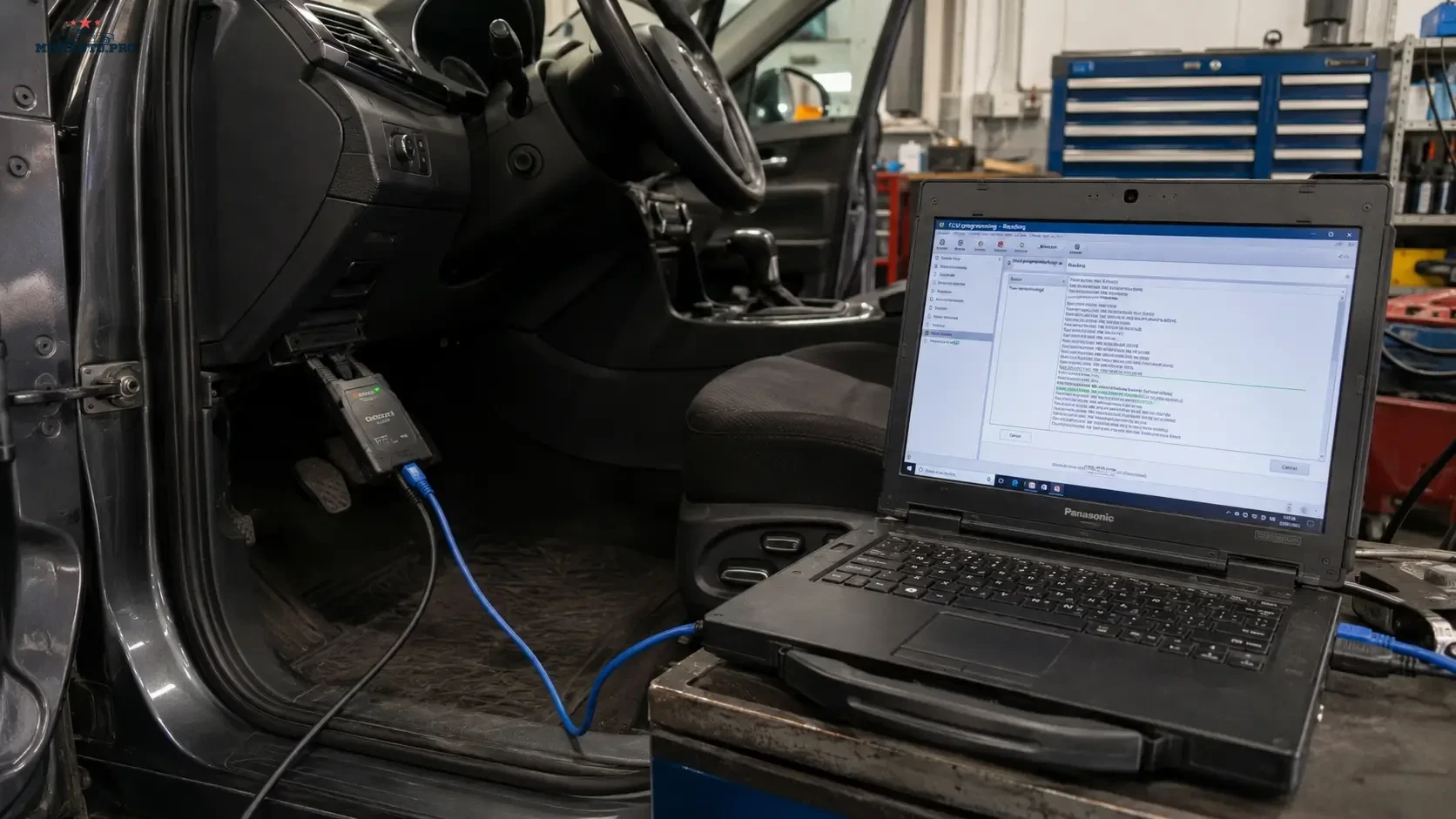
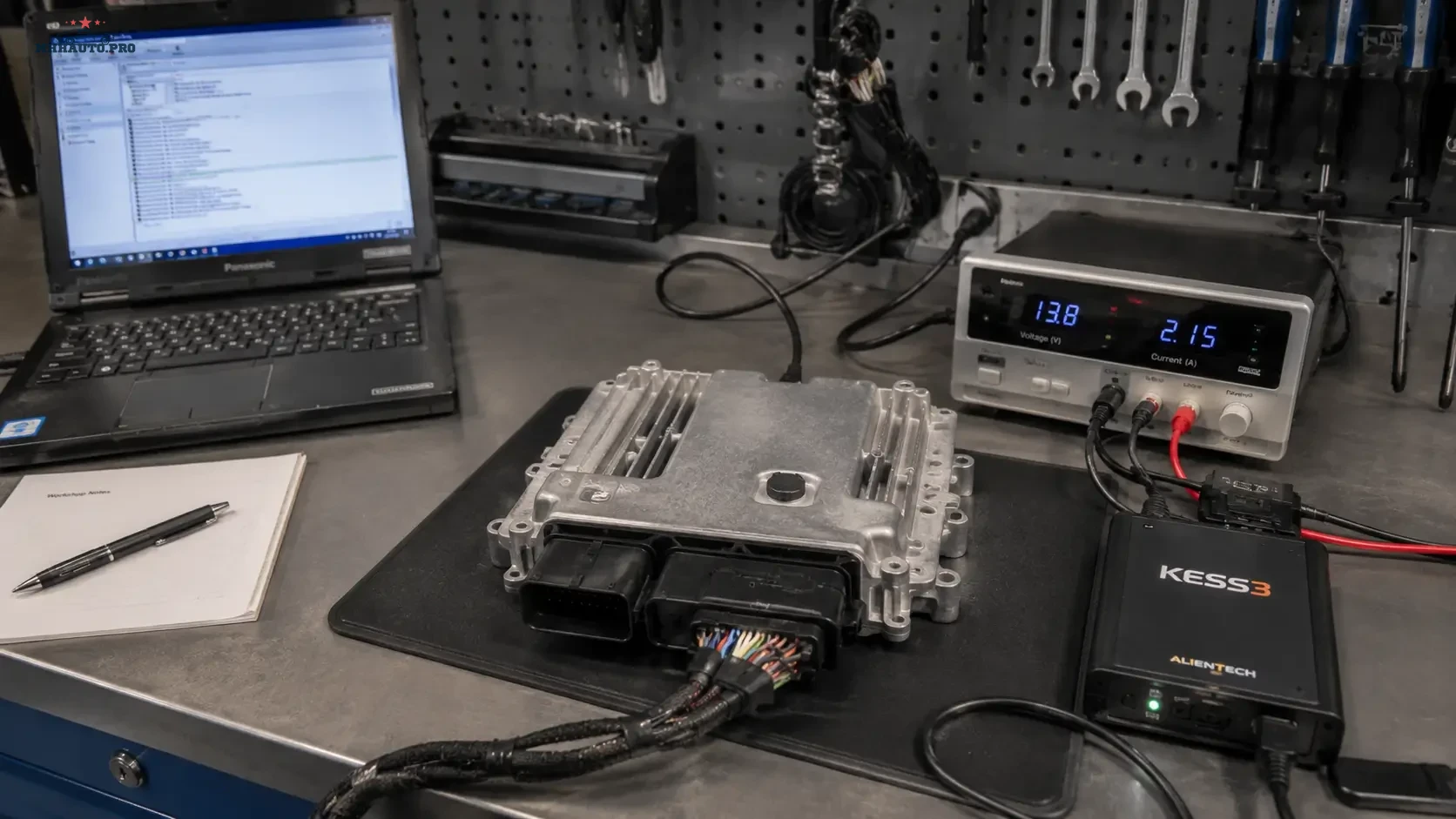
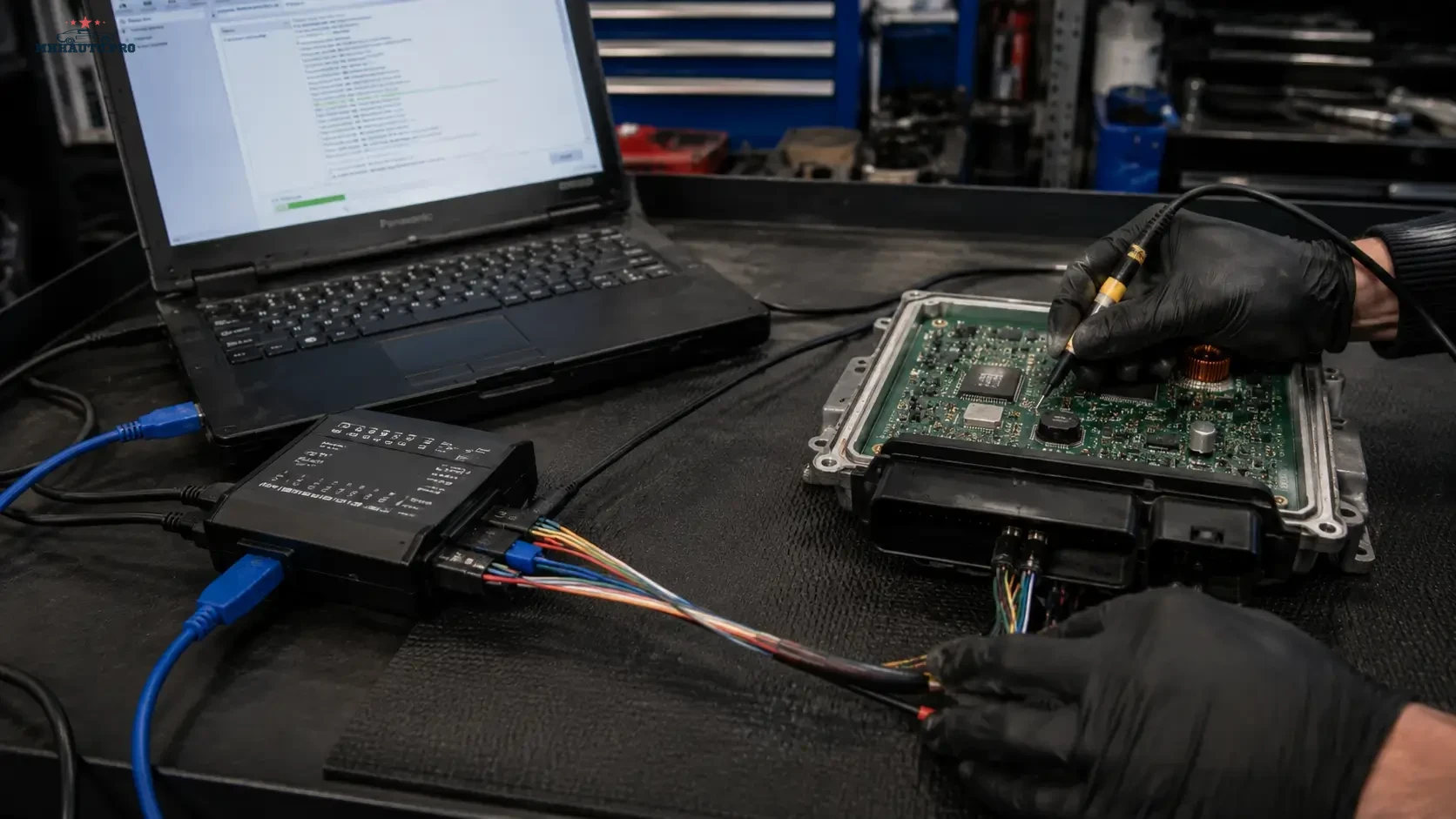
The reading method becomes part of the file history
An ECU file should never arrive in WinOLS without context. The technician needs to know how the file was obtained, which tool and protocol were used, whether the read is physical or virtual, which memory areas are included and whether a recovery route exists.
OBD, Bench and Boot are three different ways of communicating with an ECU or TCU. One method is not automatically “better” than another. The correct choice depends on the control unit, supported protocol, condition of the vehicle, purpose of the job and amount of data required.
The safest workflow is to choose the least invasive method that provides the verified data and recovery options needed for the job.
What OBD, Bench and Boot mean in practice
Professional programming tools commonly separate ECU access into these three modes:
- OBD: communication through the vehicle diagnostic connector.
- Bench: direct communication with the ECU connector after the control unit is disconnected or removed, normally without direct access to the processor pads.
- Boot: direct low-level access that usually requires opening the ECU and following a tool-specific connection procedure.
The exact coverage, memory access and safety functions depend on the ECU, protocol and tool. Never assume that every tool uses these terms in exactly the same way.
OBD reading: convenient but protocol-dependent
OBD is often the first choice because the ECU can remain installed and the vehicle wiring stays intact. For a supported, healthy vehicle, this can make the job faster and reduce handling risk.
OBD access may provide:
- ECU identification;
- calibration-area reading;
- physical reading on supported protocols;
- virtual reading on supported protocols;
- writing through the diagnostic connector;
- tool-managed recovery functions on some applications.
The word “OBD read” does not tell you exactly what is inside the file. It may be a physical read from the ECU, a partial calibration read or a server-matched virtual file. The tool protocol information is the source of truth.
What is a virtual read?
With a virtual read, the tool identifies the ECU and supplies a matching original file from its database instead of reading every calibration byte directly from the vehicle.
This can be efficient, but it creates an important verification step. The supplied file must match the ECU identification, software version and protocol requirements. It may not contain undocumented changes already present in the control unit.
Before accepting a virtual read as the project original, record:
- ECU hardware number;
- ECU software number;
- calibration or upgrade number where available;
- tool identification report;
- virtual file name and file size;
- vehicle update or tuning history if known;
- tool log showing how the file was obtained.
If there is evidence that the ECU was previously modified, a server-matched original should not automatically be treated as a byte-for-byte copy of what is currently inside the ECU.
When OBD is usually the sensible choice
OBD access is normally appropriate when:
- the exact ECU and vehicle are supported by the tool;
- the vehicle communicates normally;
- the protocol provides the file area required for the job;
- the battery can be stabilized;
- there is a supported recovery process;
- the ECU does not need to be removed for another reason.
Do not remove and open an ECU simply because Boot mode sounds more complete. Every additional handling step adds time and physical risk.
Bench reading: direct connector access
Bench mode communicates directly through the ECU connector. The control unit is normally disconnected from the vehicle and powered with a controlled bench setup.
Depending on the protocol, Bench mode may provide broader access than an OBD operation and can be useful when:
- OBD access is unavailable or restricted;
- the ECU has already been removed for repair;
- the vehicle wiring or gateway prevents stable communication;
- the protocol requires direct connector access;
- a more complete backup is available through Bench mode;
- controlled power and communication are easier outside the vehicle.
Bench mode is not automatically a full backup. Read the protocol notes and confirm which memories are included.
Bench power quality matters
A bench setup should be treated as electronic test equipment, not as a collection of loose wires. Poor power supply, reversed polarity, incorrect connection or unstable contact can damage the control unit.
Before starting:
- confirm the exact ECU part number;
- select the correct tool protocol;
- use the manufacturer-approved cable or connection method;
- verify power-supply voltage and current capability;
- check polarity before connecting;
- secure the ECU and cable so they cannot move;
- save tool identification before reading or writing.
Do not reuse an old connection note without confirming that it applies to the exact ECU variant.
Boot mode: low-level access with greater handling risk
Boot mode is commonly used when the protocol requires direct processor-level access, when broader memory coverage is needed or when recovery cannot be completed through OBD or Bench communication.
It may be appropriate for:
- specific full-backup operations;
- recovery of a non-communicating control unit;
- ECU repair and cloning workflows where legally and technically appropriate;
- protocols that explicitly require the ECU to be opened;
- access to memory areas unavailable through other supported methods.
Boot mode should be performed only by technicians who understand ECU handling, electrostatic protection, sealing, controlled power and the tool-specific procedure. This article deliberately does not provide pinouts or connection instructions because those must come from the official protocol documentation for the exact control unit.
Opening the ECU creates additional responsibilities
Once an ECU is opened, the workshop becomes responsible for more than the digital file. The enclosure, seal, circuit board and surrounding components must not be damaged or contaminated.
Record:
- photos of the ECU before opening;
- label and part numbers;
- existing enclosure damage;
- evidence of previous opening or repair;
- tool protocol used;
- read and write logs;
- resealing method and final inspection.
If the ECU shows signs of water entry, corrosion or earlier repair, document the condition before continuing.
Comparison of the three methods
| Decision point | OBD | Bench | Boot |
|---|---|---|---|
| ECU removal | Normally not required | Usually required or ECU disconnected | Required |
| ECU opening | No | Normally no | Usually yes |
| Typical workshop use | Supported reading and writing through the vehicle connector | Direct connector access and protocol-specific backup | Low-level access, full backup or recovery where supported |
| Physical handling risk | Lower | Moderate | Higher |
| Data coverage | Protocol-dependent | Protocol-dependent | Often broader, but still protocol-dependent |
| Main verification | Physical versus virtual read and supported file area | Correct ECU connector protocol and included memories | Exact procedure, memory coverage and recovery integrity |
“Full backup” must be defined, not assumed
Tool terminology varies. A backup may contain one calibration region, internal flash, external flash, EEPROM or several separate files. Another tool may package the same data differently.
For every read, record:
- which memory areas were read;
- whether files are separate or combined;
- file size for each part;
- read method;
- protocol name or number;
- tool and software version;
- whether password, unlock or patching was required by the supported procedure;
- what the tool can use for recovery.
A large file is not automatically a complete backup, and a small file is not automatically incomplete. File structure must be interpreted in the context of the protocol.
Choose the method from the job objective
Before connecting a tool, define why the ECU is being read.
- Calibration edit: confirm that the read contains the required calibration area and is suitable for the write protocol.
- Original-file verification: prefer a method that captures the actual data needed for comparison.
- Recovery preparation: confirm which memory files the tool requires to restore communication.
- ECU repair: document every memory and identification file needed for the repair workflow.
- Software update comparison: keep clear identification for both the old and updated file.
The fastest method is not useful if it does not provide the information required by the job.
Prepare recovery before the first write
Recovery planning should happen before any modified file is written.
Keep together:
- verified original or best available backup;
- ECU identification report;
- read log;
- write log;
- tool protocol information;
- photos of the ECU label;
- battery-support or bench-power notes;
- last known good file;
- support case reference if the tool provider was contacted.
If recovery requires a different connection method, know this before the write starts.
How to hand the file into WinOLS
The WinOLS project should include more than the binary file. Add a project comment or text note with:
- OBD, Bench or Boot read method;
- physical or virtual read status;
- tool and protocol;
- ECU hardware and software numbers;
- file size;
- read date;
- technician name;
- known previous tuning or software update history.
This information becomes important when comparing files, transferring changes or reopening the project months later.
Common workshop mistakes
- Choosing Boot mode when supported OBD access would provide everything required.
- Treating a virtual read as a physical copy of the ECU without checking identification.
- Calling every Bench read a full backup.
- Using a protocol selected only by vehicle model instead of exact ECU identification.
- Writing before the original file and logs are archived.
- Using unstable vehicle voltage or an unsuitable bench power supply.
- Opening an ECU without documenting its original condition.
- Mixing flash, EEPROM and calibration files inside one unlabeled folder.
Related ECU research
After creating the project, review the existing WinOLS checksum guide before writing a modified file. For tool-specific cases and ECU protocol discussions, review CarTechnology or MHHAuto.
Reading-method checklist
- Identify the exact ECU before selecting a protocol.
- Define what data the job requires.
- Check whether the OBD read is physical, partial or virtual.
- Confirm which memories are included in Bench or Boot backup.
- Use the least invasive supported method that meets the objective.
- Stabilize vehicle or bench power.
- Save ECU identification and tool logs.
- Label every file by memory type and read method.
- Prepare the supported recovery path before writing.
- Add read-method notes to the WinOLS project.
FAQ
Is Boot mode always safer than OBD?
No. Boot mode can provide low-level access, but it requires more physical handling and often requires opening the ECU. A supported OBD procedure may be the safer choice for a healthy vehicle.
Is a virtual read an original file?
It is generally a matched original file supplied according to ECU identification. It should not automatically be treated as a physical copy of every byte currently stored in the ECU.
Does Bench mode always read EEPROM and full flash?
No. Coverage depends on the ECU and tool protocol. Check the protocol description and the files produced by the operation.
When is Boot mode justified?
Boot mode is justified when the official protocol requires it, when broader memory access is needed or when recovery cannot be completed through supported OBD or Bench communication.
What should be saved before opening WinOLS?
Save the ECU identification, original files, memory descriptions, tool logs, read method, file sizes, ECU label photos and known vehicle history.
OBD, Bench and Boot are access methods, not quality labels. The correct method is the one that provides verified data, controlled power, clear file history and a realistic recovery route with the least unnecessary risk.