
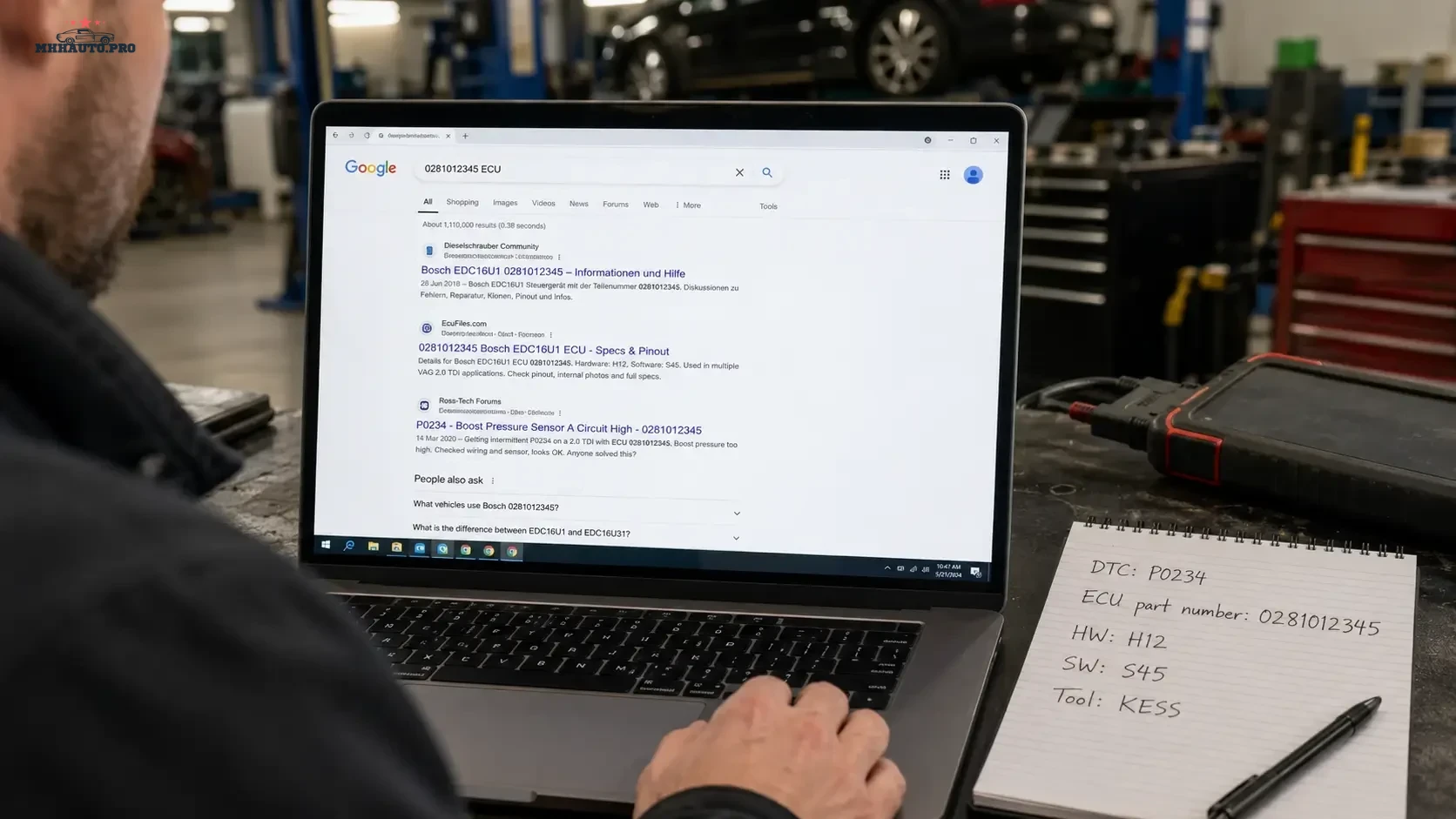
Good forum research begins before you create a new thread
Most automotive forum searches fail because the query is too broad. A technician enters the vehicle model and a general symptom, then receives hundreds of unrelated discussions covering different engines, control units, software versions and tools.
“BMW no start”, “Mercedes ECU problem” or “Ford programming failed” may describe the customer complaint, but they do not identify the technical case.
A better search uses the same information that would be required for a serious diagnostic report: exact DTC text, module, ECU part number, hardware and software identification, tool name, operation and error message.
Search by technical identity, not only by vehicle badge
The model name is useful context, but it is rarely enough. The same model can use different engines, ECUs, transmissions, gateways and software versions.
Build the search from the most specific available identifiers:
- engine code;
- ECU or TCU family;
- control-unit part number;
- hardware number;
- software number;
- full DTC number and text;
- diagnostic or programming tool;
- operation being performed;
- exact error text.
The more precise the identity, the easier it is to separate a useful thread from a superficially similar case.
Use a layered search instead of one long query
Start with a broad technical combination, review the terminology used by forum members and then narrow the query.
Layer 1: vehicle system
 engine code + ECU family
vehicle model + module name
DTC + module name
Layer 2: exact identification
 ECU part number + software number
hardware number + DTC
ECU family + programming tool
Layer 3: operation and error
 tool name + read error
tool name + write error
module name + coding failed
ECU family + no communication after programming
This approach helps discover both exact matches and the language commonly used in older threads.
Search the full DTC text
A DTC number can have different descriptions across manufacturers and tools. Search both the code and the full text shown by the diagnostic application.
For example, use combinations such as:
 P0299 underboost requested actual
P0606 control module processor fault
U0100 no communication ECM
Add the module or ECU family when the result set is too broad.
Do not search only the translated error description. Older threads may use another language version or a shorter diagnostic phrase.
Use the exact programming error message
Programming and file-tool errors are often easier to find by exact wording than by vehicle model. Copy a distinctive part of the error and search it inside quotation marks where the search engine supports exact phrases.
Useful details include:
- error number;
- percentage where the operation stopped;
- read, write, verification or identification stage;
- tool and software version;
- OBD, Bench or Boot method;
- whether communication can still be established.
Remove VIN, customer name, username, token and license information before copying screenshots or logs into a public search.
Search by ECU hardware and software number
For ECU and firmware research, hardware and software numbers are often more useful than the vehicle model. They help locate cases involving the same control-unit structure.
Try:
 "software number" ECU family
"hardware number" tool name
"part number" checksum
"software number" no communication
Search the complete number first. If no result appears, remove spaces, punctuation or the final revision one step at a time.
Do not remove so much detail that the query becomes generic again.
Search by tool and operation
A failed operation may be specific to a tool protocol rather than the vehicle itself. Include both the tool and the operation:
- identification;
- physical read;
- virtual read;
- Bench connection;
- Boot read;
- OBD write;
- checksum verification;
- coding or adaptation;
- module recovery.
A thread describing the same ECU with another tool can still be useful, but protocol-specific instructions should not be transferred blindly.
Use external search when the forum search is limited
Older forum engines may not handle long part numbers or exact phrases well. An external search engine can help locate indexed forum pages.
Typical search formats are:
 site:mhhauto.com "exact ECU number"
site:mhhauto.com "exact error text"
site:cartechnology.co.uk ECU family tool name
Use only the forum domain you intend to search. Once the correct thread is found, review it inside the forum and follow its access rules.
Search synonyms used by technicians
The same fault can be described in several ways. Try the formal term first, then common workshop wording.
| Formal term | Common thread wording |
|---|---|
| No communication | No comm, ECU offline, module not responding |
| Crank but no start | Cranks no start, turns over but will not fire |
| Programming verification failed | Write verify error, flash failed at verification |
| Incorrect software version | Wrong SW, file mismatch, incompatible file |
| Intermittent circuit fault | Fault comes and goes, random DTC, wiring issue |
Synonyms broaden the search without removing the technical identifiers.
Read the whole thread, not only the first answer
The first reply is often a hypothesis. The useful information may appear later, after the original author posts logs, corrects the ECU number or confirms the repair.
When reviewing a thread, identify:
- the original vehicle and control-unit details;
- what was tested before the post;
- which suggestions were only guesses;
- whether the author returned with a result;
- whether another user confirmed the same solution;
- whether the tool or software version is now outdated;
- whether the thread refers to legal and supported work.
A long thread with a confirmed final result is normally more useful than a short thread containing only confident opinions.
Check whether the case actually matches
Before applying any information, compare the thread with the vehicle in the workshop.
| Match point | Workshop vehicle | Forum case |
|---|---|---|
| Engine code | Record exact code | Must be confirmed |
| ECU hardware | Record identification | Exact or technically compatible |
| Software version | Record full value | Check revision |
| Tool and protocol | Record current setup | Confirm same workflow |
| Fault status | Current, intermittent or history | Compare condition |
| Previous work | Document repairs or programming | Check for hidden differences |
If the software version, tool method or earlier repair history differs, treat the thread as background information rather than a direct procedure.
Recognize high-quality forum evidence
A technically useful post usually includes several of the following:
- complete vehicle and ECU identification;
- full DTC text;
- pre-scan or log information;
- measurements rather than assumptions;
- tool and software version;
- clear description of the operation;
- confirmed repair or final result;
- follow-up after road test or programming.
Be cautious when a post contains only a file link, a one-line answer or a claim that a procedure works on every software version.
Keep a search record
For difficult jobs, save a short research note rather than keeping twenty browser tabs open.
Record:
- search terms used;
- thread title and link;
- vehicle or ECU match level;
- useful measurement or test idea;
- information that remains unverified;
- final workshop result.
This turns forum browsing into a repeatable diagnostic process and prevents the same research from being repeated by another technician.
When to stop searching and start testing
Forum research should produce a test plan. It should not replace one.
Stop searching when you have enough information to:
- identify the relevant circuit or system;
- select the correct repair data;
- choose a safe measurement point;
- verify the ECU or software version;
- contact official tool support with a complete case.
If thirty threads produce thirty different guesses, return to the vehicle evidence.
Related forum access
For broad diagnostic, ECU and workshop software research, review MHHAuto Account with Full Forum Access. For ECU, firmware and programming-focused topics, review CarTechnology. For practical repair resources and automotive attachments, review CarMasters.
Forum search checklist
- Start with the engine, module or ECU family.
- Add the complete DTC and fault text.
- Search the hardware and software number.
- Add the tool and exact operation.
- Search a distinctive error phrase.
- Try common workshop synonyms.
- Use external site search when forum search is limited.
- Read the full thread and find the confirmed result.
- Compare software version, tool and repair history.
- Save useful links and mark unverified information.
- Use the result to create a test plan.
FAQ
Should I search by VIN?
No. Do not publish or search using a customer’s full VIN. Use non-personal technical identifiers such as engine code, ECU part number, hardware number and software number.
Why does searching the DTC alone give poor results?
The same DTC can occur on many vehicles and systems. Add the module, engine, ECU family, software number or symptom context.
Is an exact ECU part-number match enough?
Not always. Check software version, vehicle application, tool protocol and previous programming history as well.
Should I trust a thread with a file but no explanation?
Treat it cautiously. A useful technical resource should include compatibility information, source context and a confirmed purpose. Never use an unknown file solely because its title looks similar.
When should I create a new forum thread?
Create a new thread after searching the technical identifiers and preparing the vehicle details, scan data, tests already performed and a precise question.
The fastest forum search is not the one with the shortest query. It is the one that describes the exact control unit, fault, tool and operation well enough to exclude unrelated cases.